Welcome to our Quick Start Guide for Grasshopper’s ComicHub app for iPhone and Android. The ComicHub app itself has been around for years and is used by some of the top comic book stores around the world. Here’s a basic guide to it’s features to get you up and running as quickly as possible. We’ve linked some more advanced tutorials at the bottom of the page to go a bit deeper into certain features like Saved Searches.
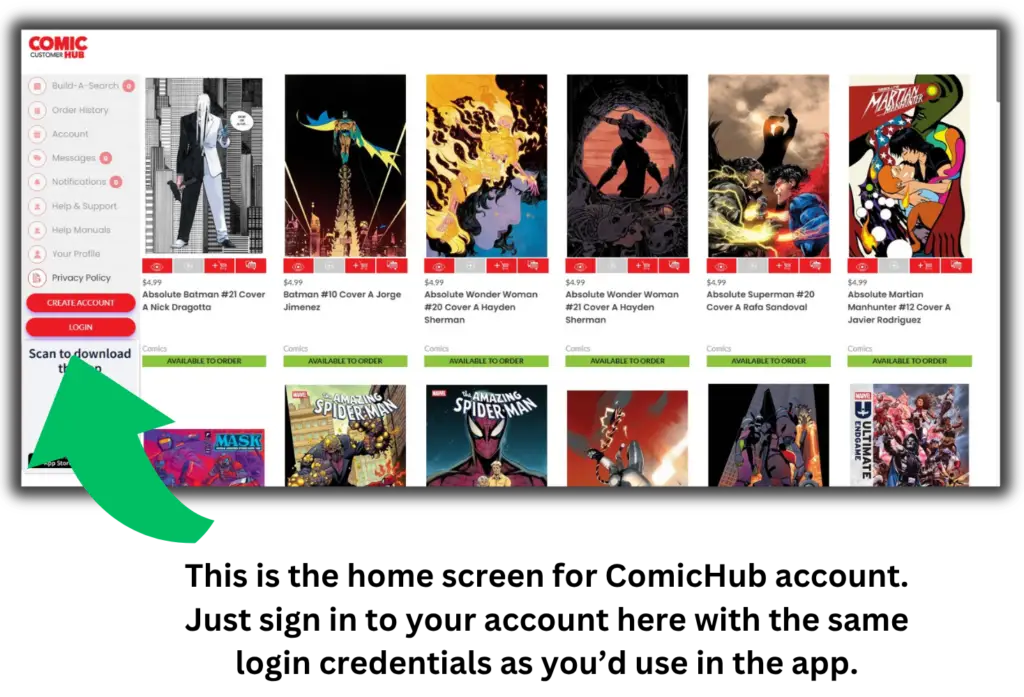
The best way to set up your ComicHub account is by contacting the store. We can set up your account on our system and send you a personal invite email with links to the apps as well as your individual login information. When you activate the app on your phone, or login to the Customer Website using the provided login information it will automatically sync with all your info that’s already in our system.
If you already created an account on the app that’s okay too. Just make sure you select Grasshopper’s Comics as your preferred/favorite store and the app will automatically send us a notification to link your app with your in-store account.
Just click LOGIN and enter the account credentials we sent you and you’ll be all set.
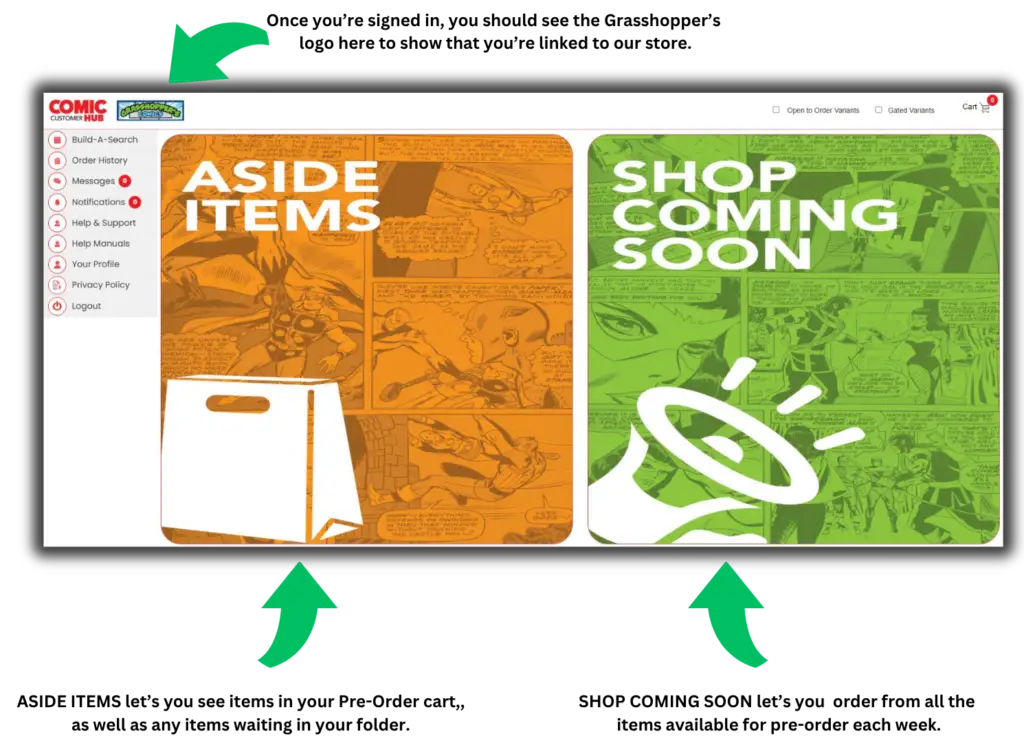
Once you’ve logged in using your account credentials you should see Grasshopper’s store logo on the upper left of your screen showing you that you are all synched up with your in-store account.
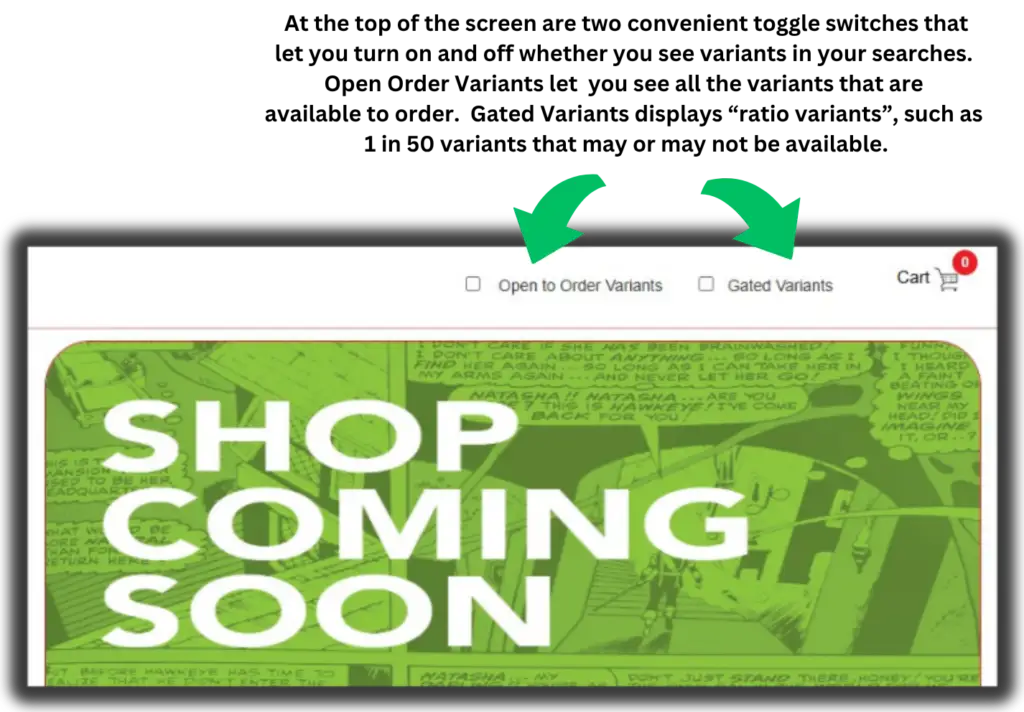
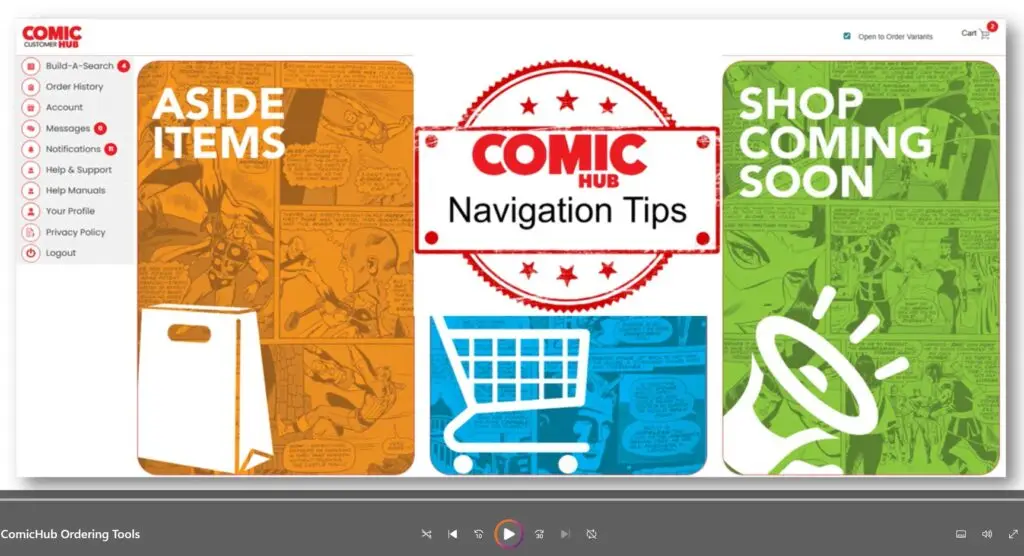
On the Home Screen you’ll find two main sections: ASIDE ITEMS and SHOP COMING SOON, as well as links to your Shopping Carts, Saved Searches, and more.
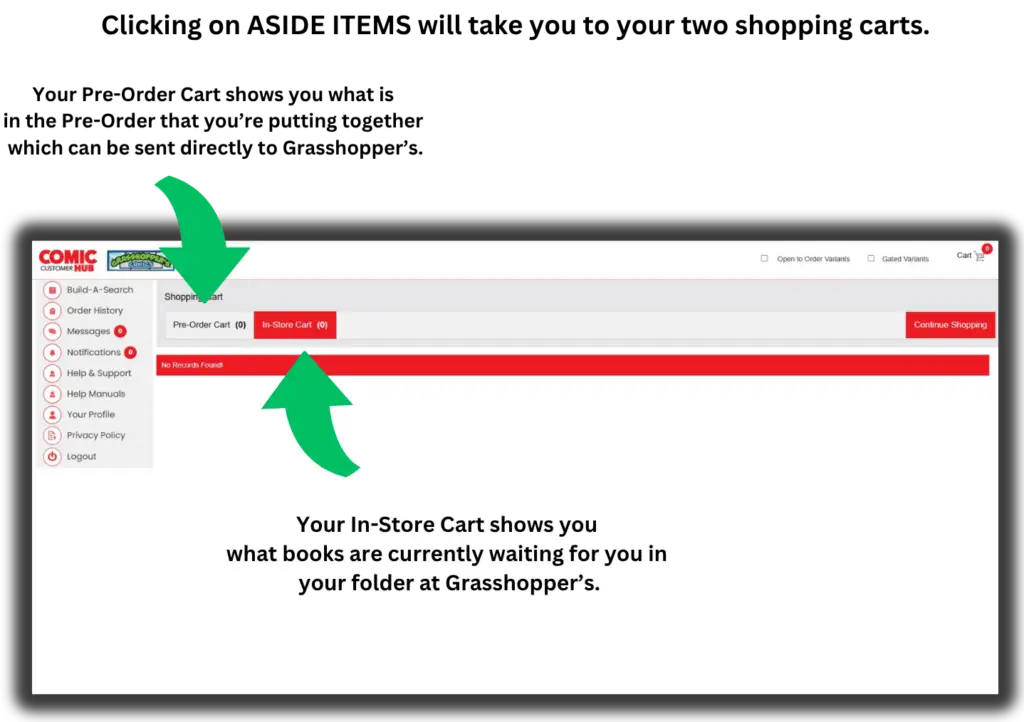
ASIDE ITEMS will show you what you have on Pre-Order and in your folder at Grasshopper’s, which is updated every time a new book is put in your folder.
SHOP COMING SOON gives you a wealth of information about upcoming comics and also lets you Subscribe and place Pre-Orders.
Your IN-STORE Cart doesn’t just show you all the books that are currently waiting for you in your folder at Grasshopper’s. It’s also automatically updated whenever a new book goes into your folder. You’ll also get a Notification through the app informing you of all the new books going into your folder each week.
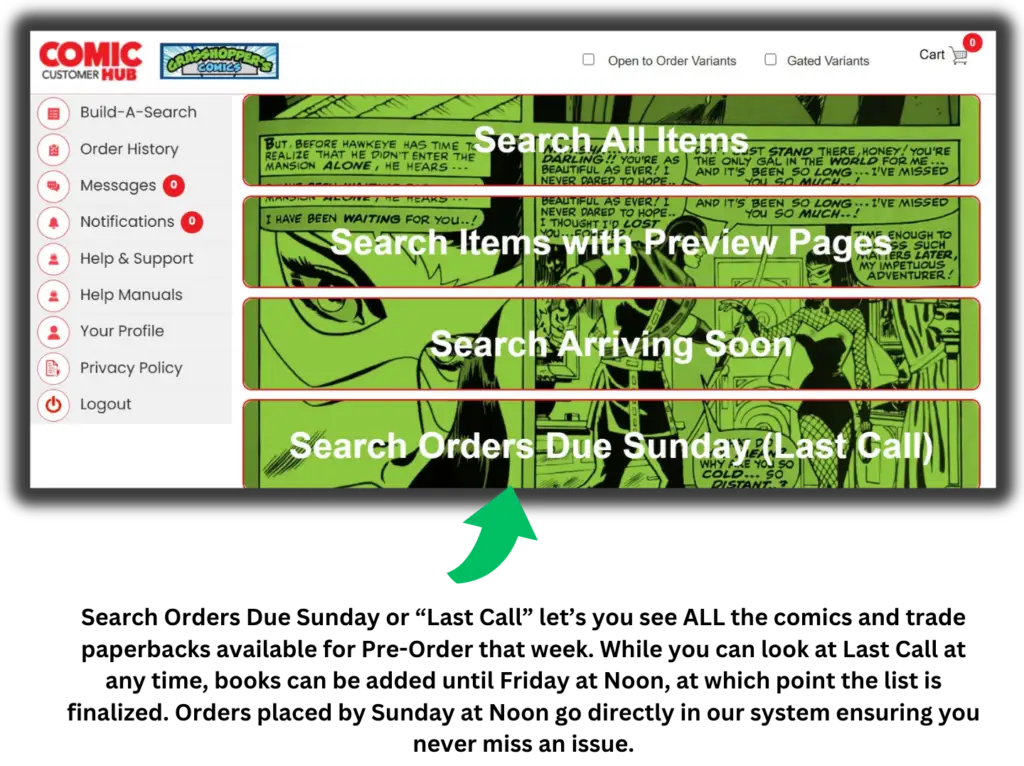
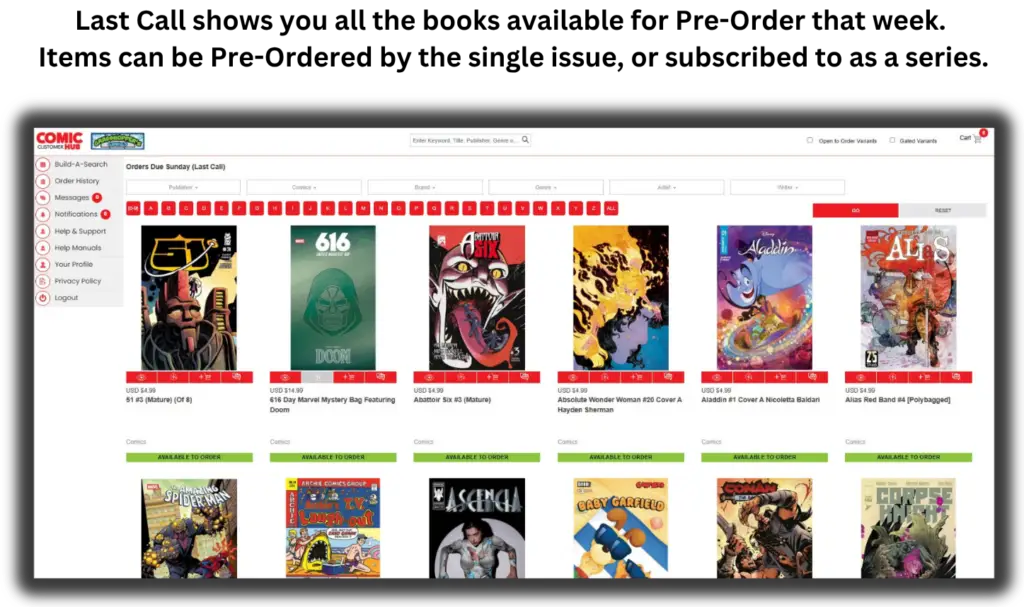
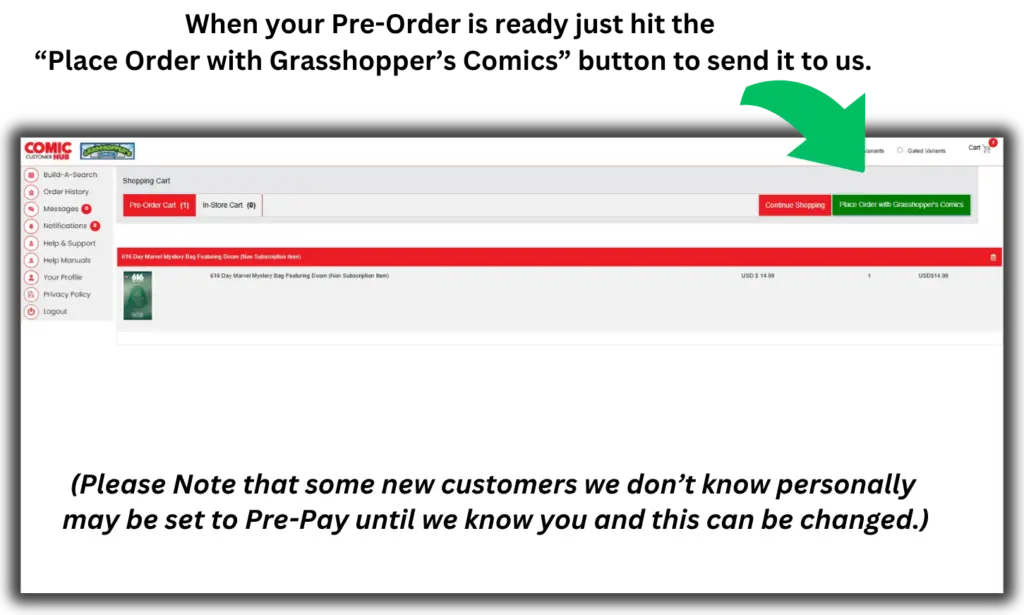
Using ORDERS DUE SUNDAY (LAST CALL) which we’ll just refer to as LAST CALL, you can see and Pre-Order from all the books that will be coming our way in 3-4 weeks. It has a wealth of information about virtually every comic book and trade paperback coming our way, including every comic and trade from every publisher, and even variant covers. You now have access to way more comics and variant covers than any store could ever afford to keep on their shelves. There’s a lot here!
Each week the list of books in LAST CALL is finalized on Friday at noon, prior to that its always possible for publishers to add a new title or variant cover. But at Friday noon the list is finalized and publishers can’t add any new items. You then have until Sunday at noon to send your Pre-Order to us through the app. This means you’re placing your Pre-Order with us the same time we place it with the publisher, so you are pretty much guaranteed to get the books you want (barring a publisher shortage of some kind that is beyond our control).
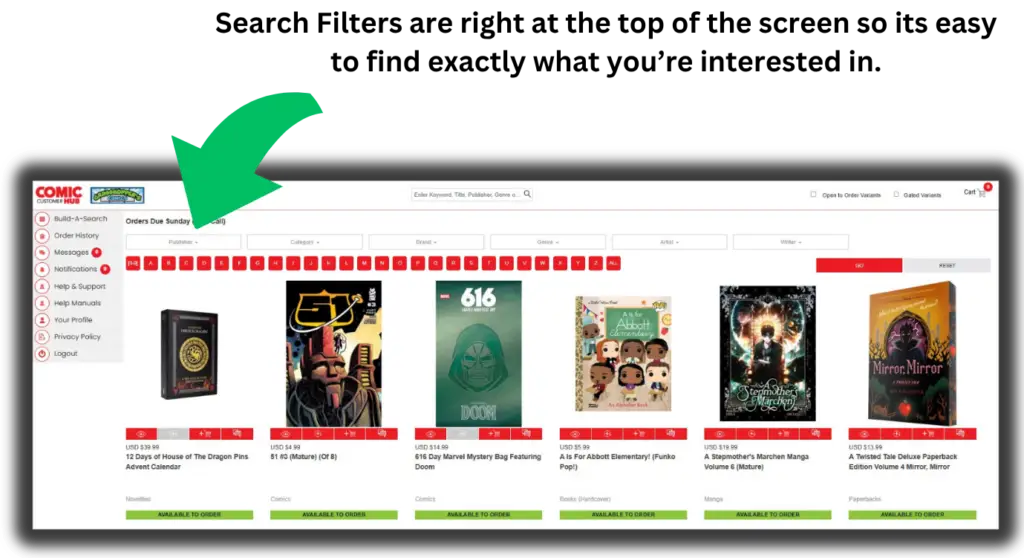
LAST CALL shows you all the books available for order that week.
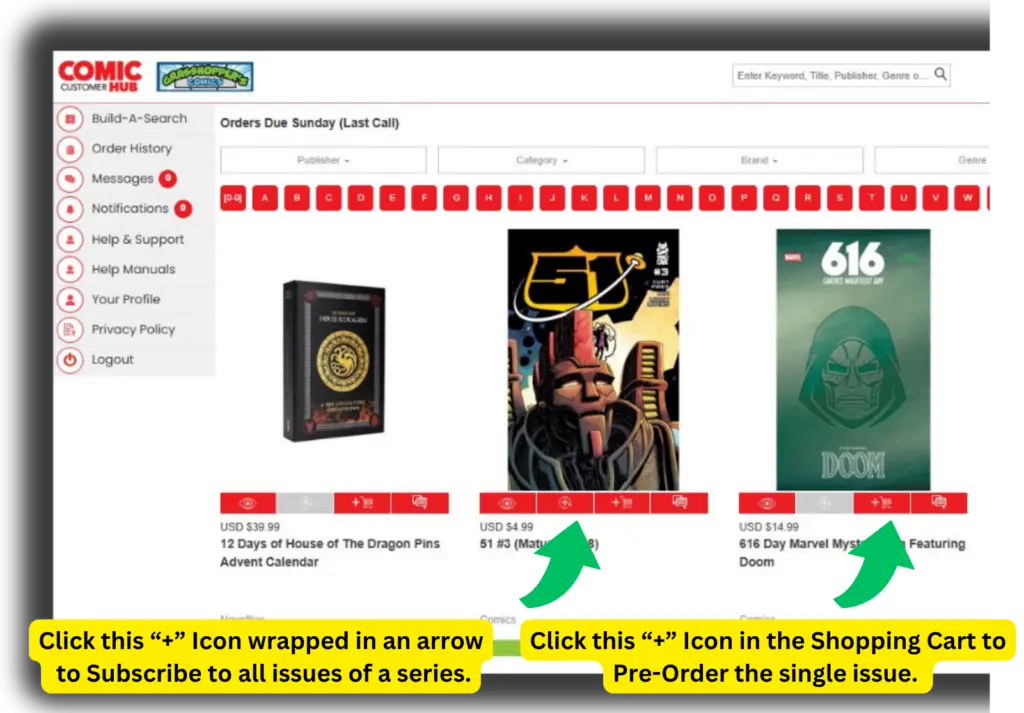
From this screen you can do a few things by clicking the icons below the title:
Click the EYEBALL icon, or the cover art, of any book to go to that book’s detailed screen.
Click the “+” sign with the circle around it to SUBSCRIBE to a title. (Note that some titles, such as one-shots, cannot be subscribed to.)
Click the SHOPPING CART icon with the “+” sign in it to add any single issue/item to your Pre-Order Cart.
Click the MESSAGES icon below the title to send a message/question directly to Grasshopper’s.
As you’re browsing through the books in Last Call each week you may find yourself thinking, “Wait? Am I subscribed to that title?”
No need to worry. If you are already Subscribed to a title then you’ll see a yellow box below title itself saying that it is “On Order”. Your subscriptions are already reflected in the coming books to make it easier to manage.
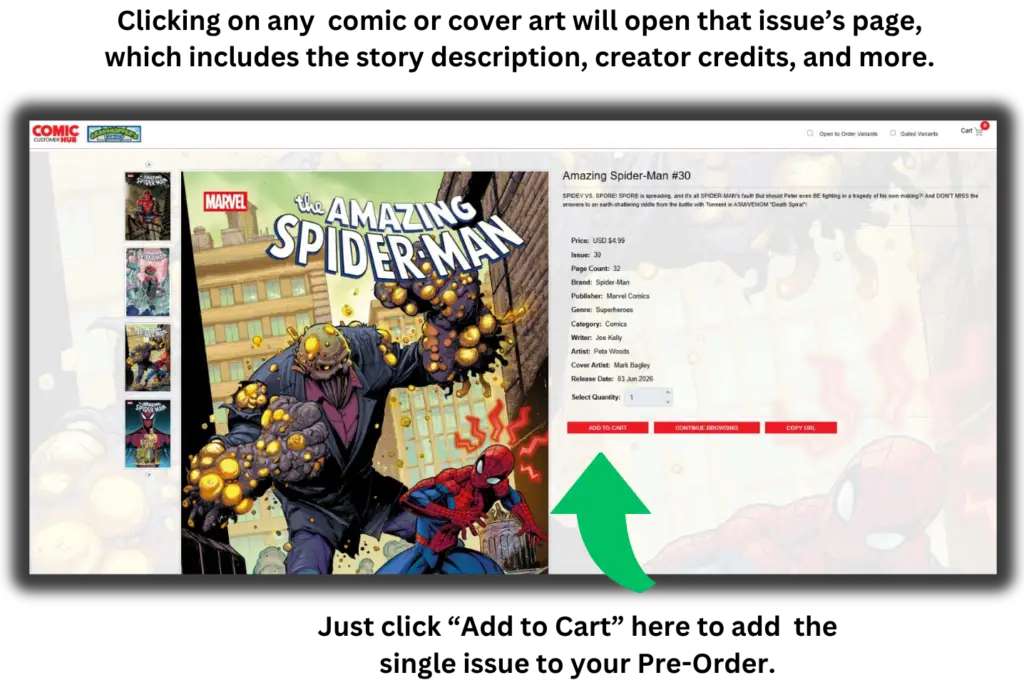
If you want more information about an issue, just click on the cover art or the Eyeball icon below it in the carousel and you will go to that issues Item Page.
Here you’ll find all the information on it, Story Summary, Creator Credits, and more.
To Pre-Order that issue just hit “Add to Cart” at the bottom of the screen to add it to your order.
Maybe you’re only interested in comics from specific publishers or creators and don’t want to sort through the huge number of titles that are available each week. FILTERS allows you to filter the list down to just the things you’re interested in.
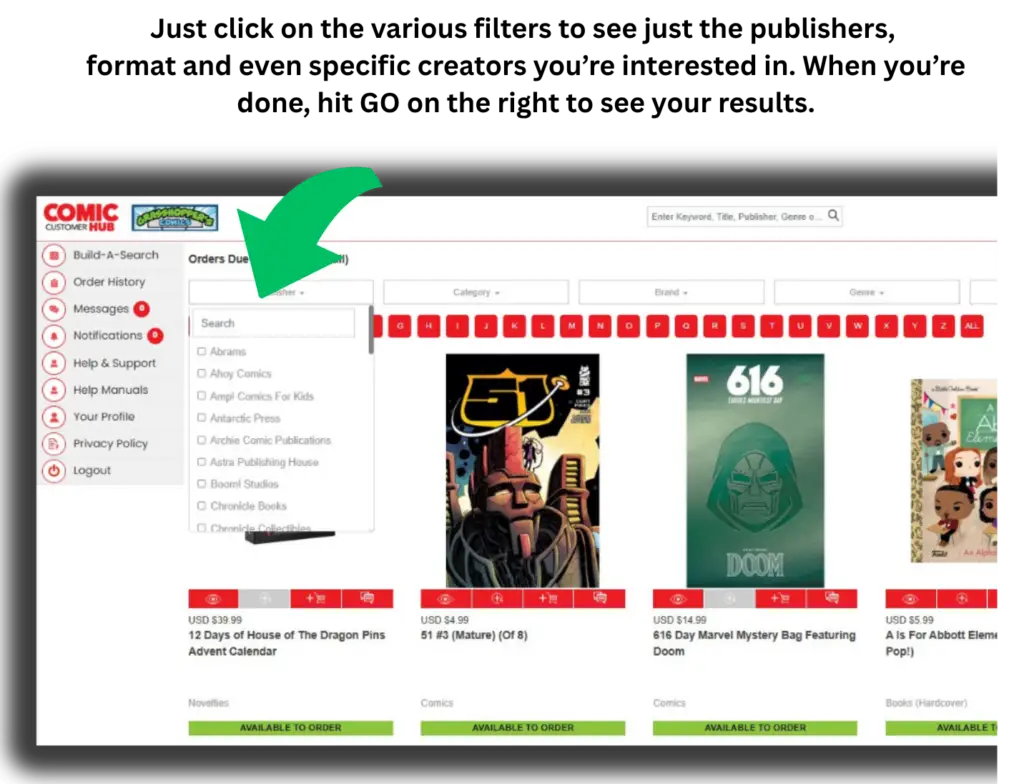
The FILTERS options run along the top of the screen above the individual items. Just click to see what options are available.
The FILTERS options include Publisher, Category, Brand, Genre, Artist and Writer. And you can set multiple filters at once. So for example you could set a filter for all books published by Image that are written by Robert Kirkman. Or all DC trade paperbacks.
Once you’ve set the filters you want, hit GO to see your results.
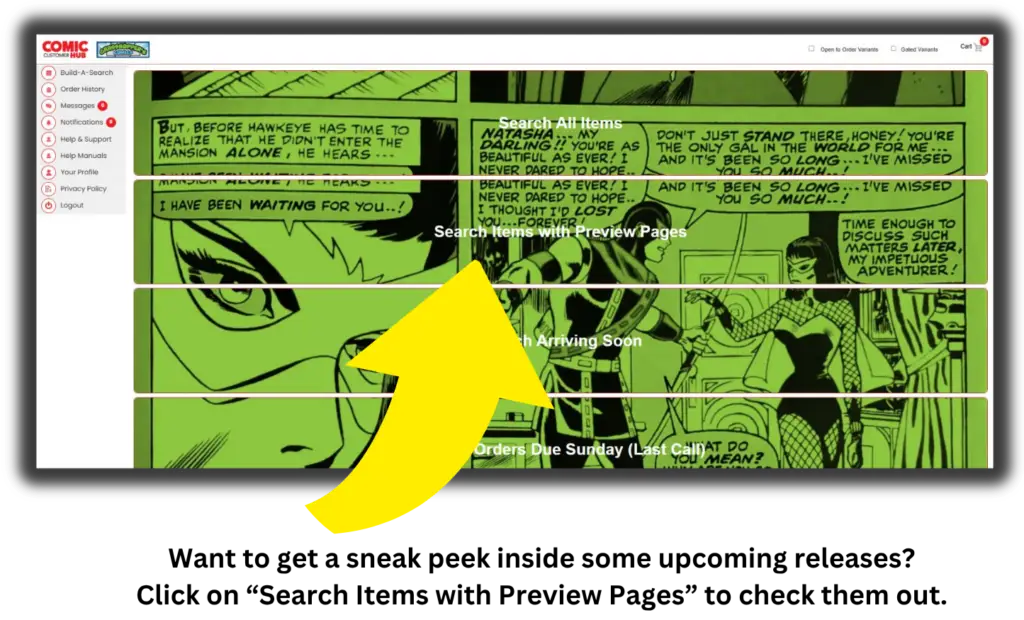
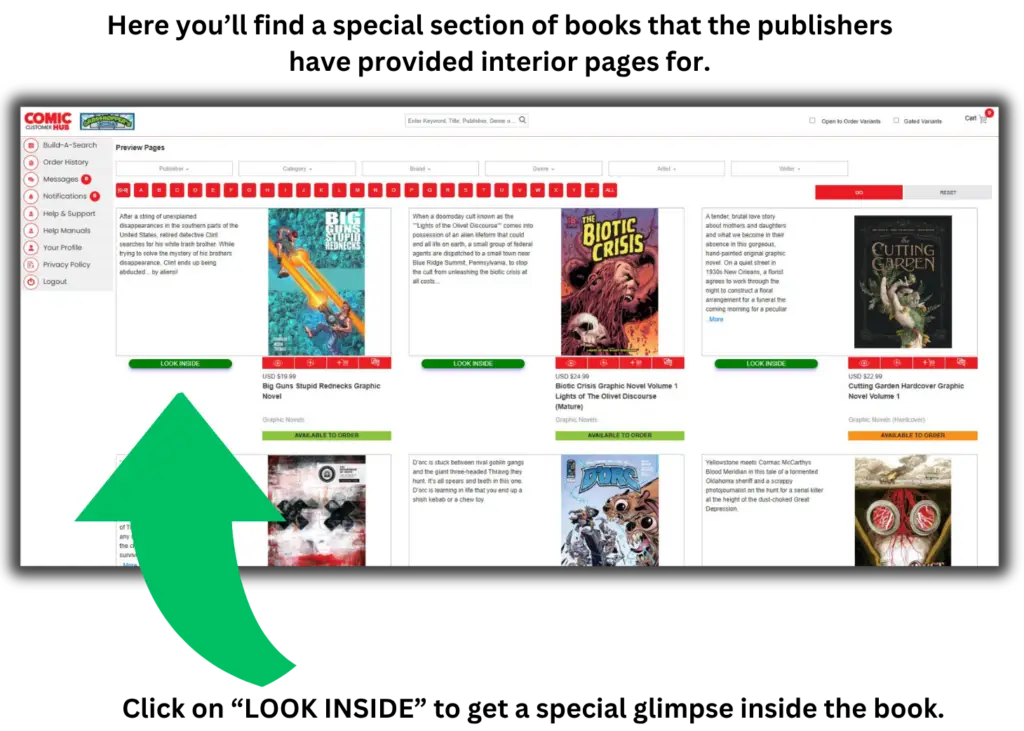
Some publishers provide PREVIEW PAGES for upcoming issues, allowing you to get a peek inside before deciding if you want to Pre-Order it. PREVIEW PAGES can be accessed from the main SHOP COMING SOON page.
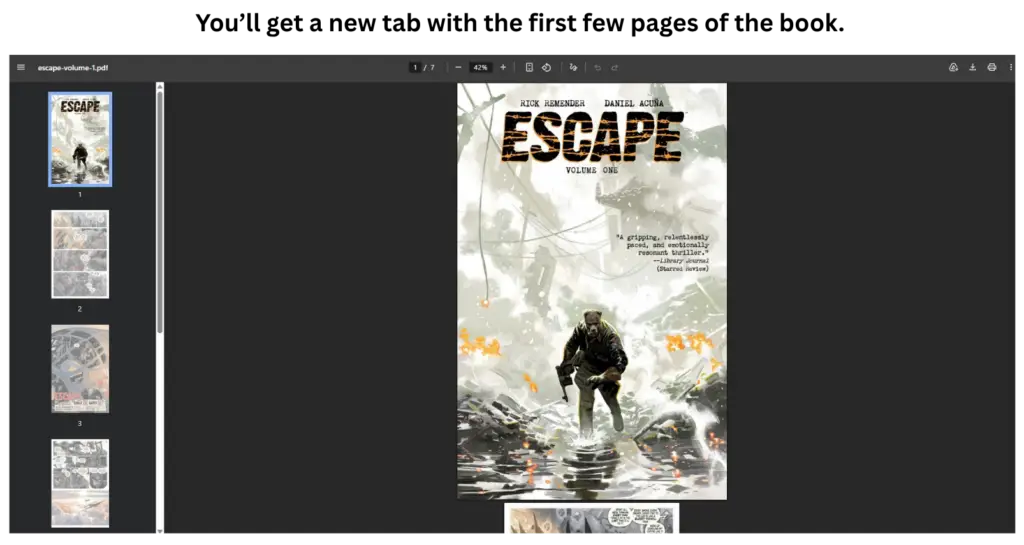
Once inside the PREVIEW PAGES you’ll see all the books with Preview Pages available. Just click on “Look Inside” to check them out.
Typically the Preview Pages will provide you with the first eight or so pages to scroll through. It’s enough to give you a taste of the art and storytelling but not so much as to ruin the story for you.
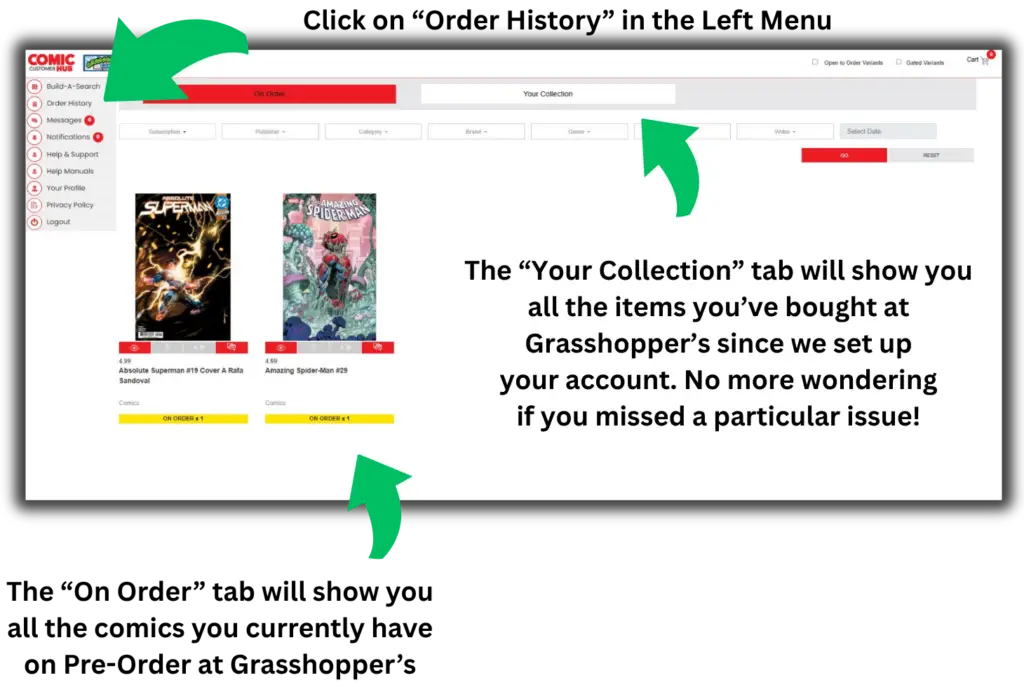
Your ORDER HISTORY has two of the coolest features of the app designed to make keeping up with all the new comics coming out as easy as possible.
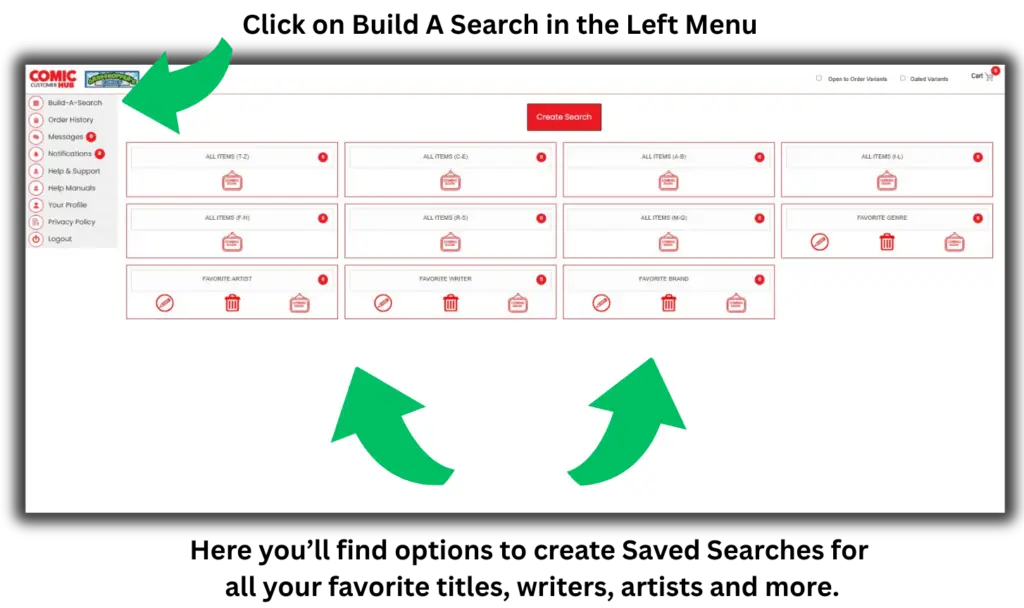
SAVED SEARCHES work very similarly to FILTERS but creates a Search/Filter that can be saved to use repeatedly. There is a SAVED SEARCH icon at the bottom center left of almost every screen so you have quick access to them.
This is a great way to quickly scan each week’s list for items you don’t want to miss. For example, you could create a SAVED SEARCH to quickly scan for Skottie Young covers, either from all publishers or just certain publishers. One quick Saved Search saves you from having to review potentially hundreds of items a week.
And those are all the main features of the ComicHub app from Grasshopper’s Comics! We’re sure you can see how these tools combined with our in-store systems makes managing all the new books going into your collection so much easier, while simultaneously making available a huge variety of titles and covers than you ever had access to.
If you’d like more Tutorials, or prefer a video format to “see the app in action” just click the link at the right to go to our Video Tutorials page.
If you have any other questions about the app please don’t hesitate to ask us. And if you’d like to get on the app now, just contact us to set up your account.